
Dog Whistler
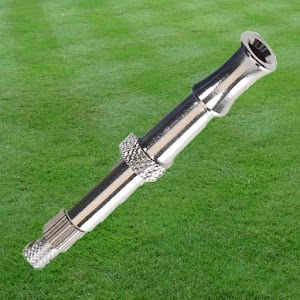
***Train your dog (or annoy your friends) with this simple to use dog whistle.
Quickly initiate a variety of frequency sounds via the dog whistle interface.
(New add-on option/feature: ability to create a ringtone from any frequency!)
Dog Whistler Main Features:
* Choose the desired frequency in the dog whistle by using the built in slider or by manually entering in the frequency.
* Select from multiple sound “patterns” within the dog whistle:--- Tone--- Short beeps--- Long beeps--- Slow 500Hz Oscillation--- 500Hz Oscillation--- Fast 500Hz Oscillation--- Slow 1KHz Oscillation--- 1KHz Oscillation--- Fast 1KHz Oscillation--- Slow 2.5KHz Oscillation--- 2.5KHz Oscillation--- Fast 2.5KHz Oscillation--- Static--- Slow 5KHz Oscillation--- 5KHz Oscillation--- Fast 5KHz Oscillation
* New add-on option/feature: ability to create a ringtone from any frequency ( FREE for a short time only!)
* New sharing features added (via Facebook, Twitter, and/or email)
* Use preset frequencies in the dog whistle or create your own
* Hold down any preset frequency and share this frequency with a friend (via Twitter, Facebook, or Email).
What worked for your dog's training?
Hearing tests....
what frequency can you hear?
* Set an alarm (either via the built in timer or motion activated).
New alarm feature===> repeat mode.
This will continually activate an alarm upon motion detection each time it resets.
For instance, if you're training your dog to stay off the couch you can place the iPhone/iPod on it.
When the dog jumps up the 1st time it will activate an alarm for a predetermined amount of time.
The alarm will then reset so when the dog jumps up the 2nd time, it will resound the alarm again.
can be used for
* * Great training app for your pet!
++ Besides a dog whistle, customers have reported using it as an anti-mosquito device, simple simple hearing test, and a tool to annoy others with its high frequency pitch.
For general info on dog whistles, the following is a useful Wikipedia link: http://en.wikipedia.org/wiki/Dog_whistle
About Dog Whistler
- Package name (App ID)
- com.mobeezio.android.dogwhistler
- Available on
- Google Play
- Price
- Free
- Version
- v2.3.8
- Developer
- Smart Tools co.
Looking for the Dog Whistler APK?
The safest way to get Dog Whistler (com.mobeezio.android.dogwhistler) on your Android device is to install it directly from Google Play — you'll always get the latest official version, automatic updates, and no risk of modified or infected APK files from third-party sites.
Music Features
Enjoy high-quality music streaming and playback features.
Social Features
Connect and share with friends and the community.
Food & Dining
Discover recipes and order food from your favorite restaurants.
See Dog Whistler in Action


Frequently Asked Questions
Is Dog Whistler free?
Yes, Dog Whistler is free to download and install on Android through Google Play.
How do I install Dog Whistler on Android?
Open Google Play on your Android phone or tablet, search for Dog Whistler by Smart Tools co. or tap the Google Play button on this page, then tap Install. The app downloads and installs automatically.
What is com.mobeezio.android.dogwhistler?
com.mobeezio.android.dogwhistler is the App ID (package name) of Dog Whistler on Google Play. Every Android app has a unique package name, and it is the safest way to verify you are installing the official app.
Is Dog Whistler safe to download?
Installing Dog Whistler from Google Play is the safest option: you get the official version published by Smart Tools co., verified by Google Play Protect, with automatic updates. Avoid APK files from unofficial third-party sites.
Get Dog Whistler Today
Dog Whistler for Android — free download on Google Play.
Compatible with Android phones and tablets — available on Google Play.
Ask AI about this app
Get instant answers about features, tips and more from popular AI assistants.